
Claude Code
Review a patch in your repo.
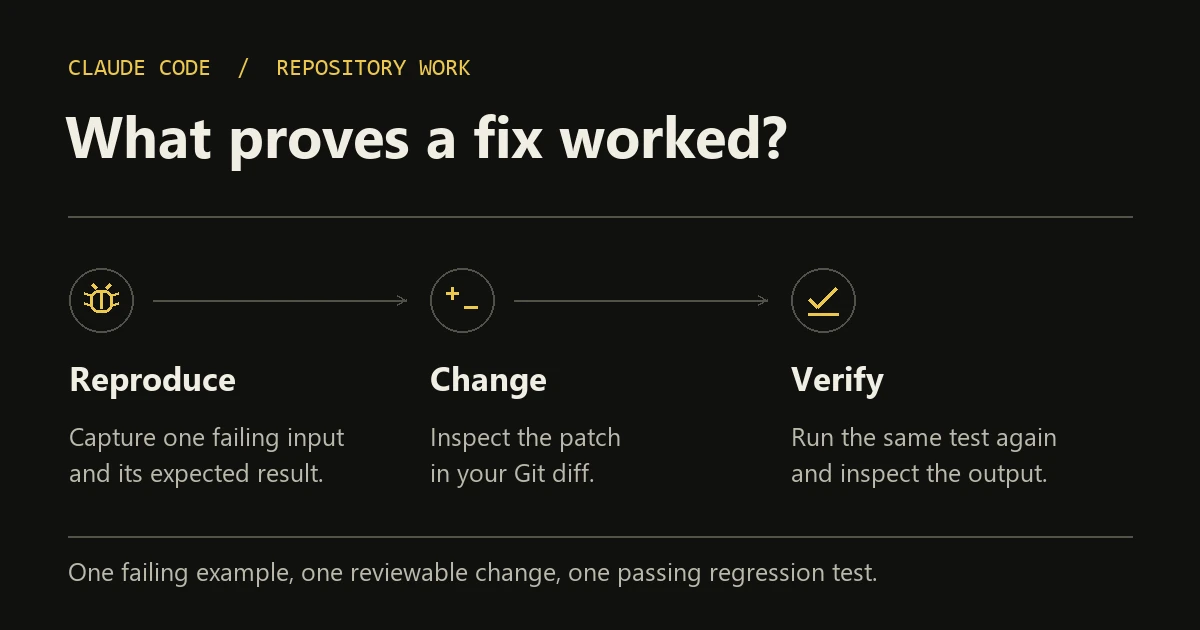
Open a repository, reproduce one failure and let Claude Code work on the change. Inspect the diff and rerun the same test before you keep it.
Updated
Claude Code is a coding harness. You open it in a project folder, ask it to trace a bug or change the program, and inspect the resulting file edits and test output. The command line is a good place to start because you can see exactly which repository you gave it.
Make one change you can verify#
Install Claude Code using the instructions for your operating system in the official quickstart. On Windows, Anthropic lists WinGet as an option. After installation, open a fresh terminal in your repository. Check the installation and start an interactive session with the two commands below.
claude --version
claude
- Complete the sign-in prompt. Anthropic supports eligible Claude subscriptions, Console API billing, and supported enterprise providers. Choose the account you intend to use.
- Ask, “Find the tests for this input parser. Show me the test command and the file where it is defined.” Use the actual component name from your project.
- Supply one input that produces the wrong result and the output you expected. Ask Claude to add a test for that example and show the failure before editing the implementation.
- Inspect the change in your normal Git diff. Check that the fix touches the intended project files and run the same test yourself. Claude’s session permission mode determines when it asks you to approve a tool action.
Watch Anthropic’s terminal demonstration

When the job should repeat#
A periodic review of merged pull requests for outdated documentation suits a Claude Code cloud scheduled task. Open Scheduled tasks, choose New task (some interfaces say New routine), pick the repository and environment, and specify the trigger. For a first run, ask it to return the changed API names, affected documentation paths, and evidence. That gives you useful findings before authorizing edits.
The cloud task runs with the repository access, environment and connectors you give it. A local CLI /loop and a cloud scheduled task have different lifetimes. Choose the cloud task when the check must run with your laptop closed. The scheduling documentation explains the options and plan limits.
For model and interface trade-offs, see the existing Claude Code alternatives comparison.
Related#
 What are AI bots, and what can you actually leave them to do? · ContenoxChoose between hosted, desktop and self-hosted AI bots. Try a two-run release digest to check memory, scheduling, permissions and delivery.
 AI bots vs. coding harnesses: which runs the job? · ContenoxCompare a persistent AI bot with a coding harness using the same release feed. See who keeps time, what state survives, how permissions work and what proves the task is done.