
Replit Agent
Build an app in your browser.
Describe a small app, try it in Replit’s Preview and decide when to publish it. For a private digest, a Routine can deliver the result back to your chat.
Updated
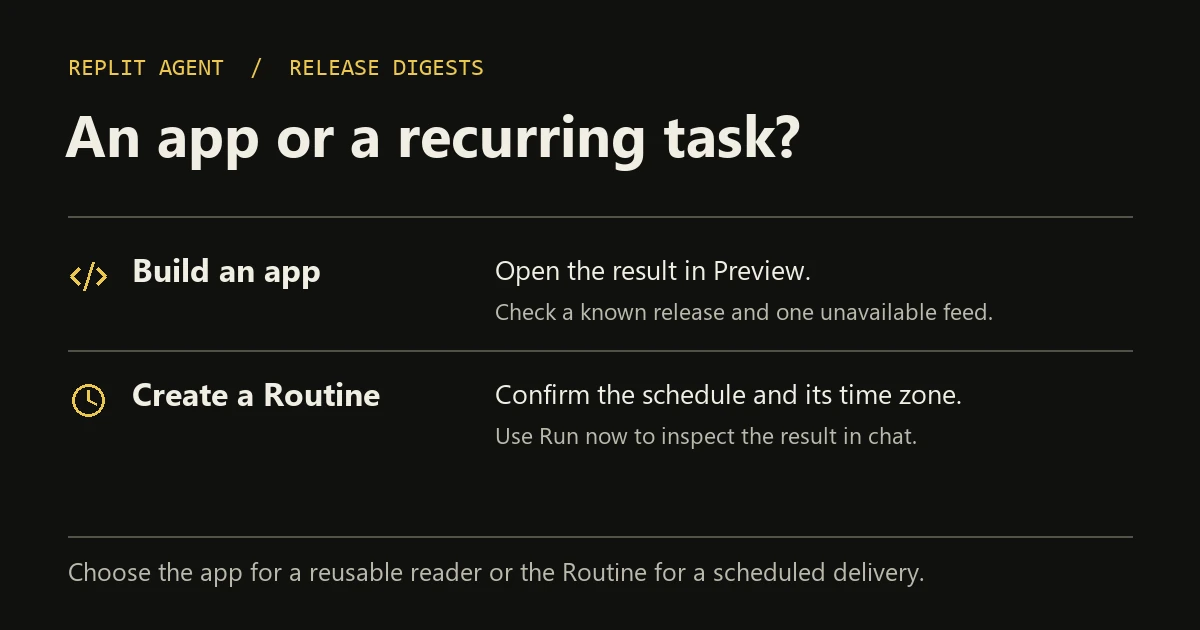
Replit gives you two ways to solve a recurring problem. Agent can build a small app that other people use. A Routine can repeat work from your own chat and return there with a result. Consider a team that needs to read release notes from three libraries.
Build a release-note reader#
In the Project Editor, give Agent the public feed URLs and an example of the list you want to read. Ask for a simple page showing the source, release date, release title, and original link. Specify what the reader should see if one feed fails. If you want to examine the design first, ask Replit to wait for your approval before building.
Use Preview to open the app. Check a recent release against its publisher’s page. Supply one unavailable feed alongside two valid ones and see whether the other two still appear. This is a test of the app’s behaviour. Scheduling a task in your own Replit account is a separate decision.
Make the same job a personal Routine#
- Open a chat in an eligible Replit plan and choose Power or Max. Ask it to check your feeds every Monday morning and post the changes in that chat.
- Give the time and days explicitly. Replit uses your device’s time zone when you confirm the schedule.
- Inspect the proposed instructions and schedule. On Core and Pro, set a per-run budget and select Create routine.
- Open Routines in the sidebar. Check the schedule. Use Run now from the action menu to see a result before relying on next Monday’s run.
See the Routines screen in Replit’s documentation
Which cost and access follow the job?#
Replit currently documents Routines for Core, Pro, and Enterprise. Scheduled runs use paid modes and inherit the chat’s connected tools. A Core or Pro budget applies to each run, and an in-progress step can finish slightly above it. Replit returns the result to the originating chat. Publishing a built application has its own workflow.
For a larger objective where Replit should explore several possible approaches, the separate Missions feature lets you define an outcome and success criteria. A weekly digest with known sources and a fixed time is already well specified as a Routine.
Related#
 What are AI bots, and what can you actually leave them to do? · ContenoxChoose between hosted, desktop and self-hosted AI bots. Try a two-run release digest to check memory, scheduling, permissions and delivery.
 AI bots vs. coding harnesses: which runs the job? · ContenoxCompare a persistent AI bot with a coding harness using the same release feed. See who keeps time, what state survives, how permissions work and what proves the task is done.