
Meta Muse
Plan your next follow-up.
Set a deadline in Muse, check the reminder in Upcoming and use a side chat to prepare the document you’ll need when it arrives.
Updated
Muse is Meta’s personal AI agent. Try it with a deadline you would otherwise keep in a calendar, then ask it to prepare something for that deadline. The reminder tells you when to act. The document gives you something to take into the meeting.
Set a reminder you can check#
- Open Muse on the web or in the app and sign in with your Meta account. Start in Chat.
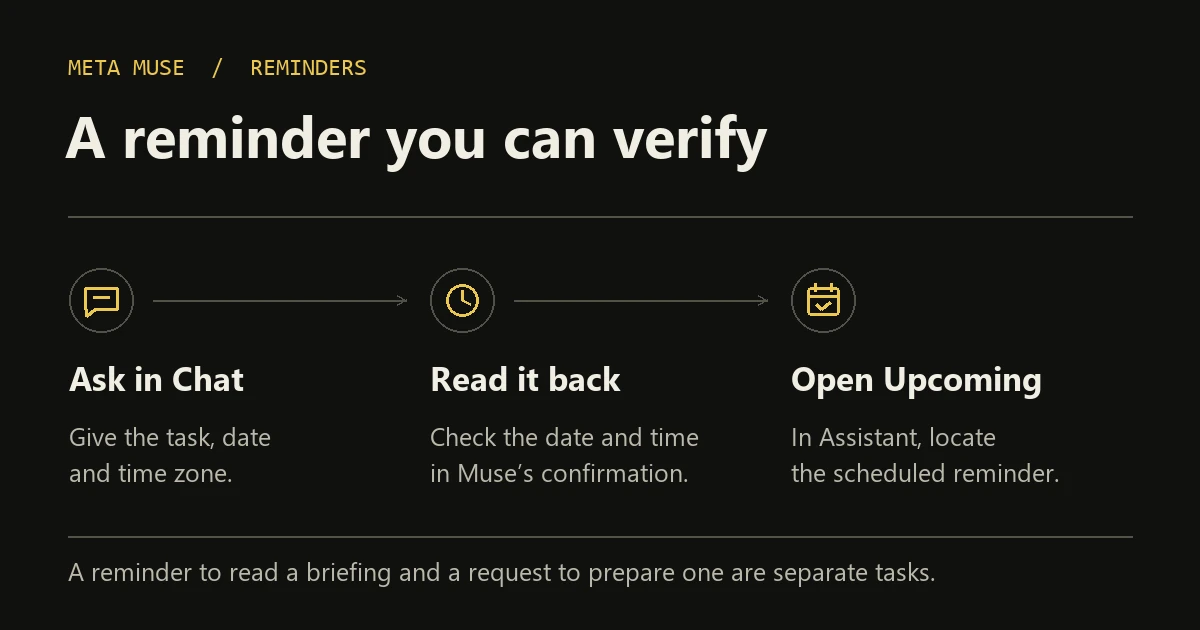
- Ask, “Tomorrow at 09:00 Berlin time, remind me to check the release notes before our team meeting.” Use a time zone you can verify, especially when travelling.
- Read back the date and time in Muse’s confirmation. In the app, tap Assistant, then Upcoming, and find the reminder. If the date is wrong, correct it while the original request is still in view.
Give a side chat one ongoing job#
Open the menu in Chat and use the pencil-and-note icon for a side chat. Give it a topic such as “Monday meeting”. Add two public release-note links and ask for a one-page briefing with the changes, their dates, and the source of each. Open the links before you forward the briefing. Ask for a PDF if you want a file to take into the meeting. Muse puts completed files in Library and shares them in the conversation.
A side chat keeps a topic easy to find. Muse can carry context across your chats. For a first trial, give it public material and connect a calendar or inbox only when the task needs those records.
What runs when you leave#
Meta describes Muse’s browser and workspace as a persistent hosted computer. Closing the app can leave background work running. Schedule the reminder and ask explicitly for the briefing if you want both. Free access has a usage limit, and some features, including voice, vary by country. Meta’s getting-started guide
Related#
 What are AI bots, and what can you actually leave them to do? · ContenoxChoose between hosted, desktop and self-hosted AI bots. Try a two-run release digest to check memory, scheduling, permissions and delivery.
 AI bots vs. coding harnesses: which runs the job? · ContenoxCompare a persistent AI bot with a coding harness using the same release feed. See who keeps time, what state survives, how permissions work and what proves the task is done.