Hermes Agent
Schedule a research briefing.
Try the assignment in a terminal, choose which model runs it, then schedule it on a gateway. A weekday briefing can arrive in your chat while your laptop is closed.
Updated
Hermes Agent, from Nous Research, gives a model tools, saved context and a terminal session you can return to. Its gateway also runs jobs on a schedule and can send their results to a messaging channel. It is a useful fit for someone who wants to inspect the job configuration and control where the agent runs. Project and installation options
What can Hermes Agent do for a recurring job?#
Hermes documents web research, browser, terminal, file and memory tools. The set available in your installation depends on configuration and enabled integrations. Start by asking for a result from material you can verify. Tools and toolsets
| Proposed job | First useful result | What to check before repeating it |
|---|---|---|
| Research brief | A short answer with links to the supplied sources | Each factual claim is supported and missing information stays visible |
| Release monitoring | Current release ID and changes relevant to an installed version | The next run can read the saved baseline and identify a new item |
| Weekly report | Calculations from a defined export, followed by commentary | Totals reconcile, dates use the intended range and commentary distinguishes facts from explanations |
| Meeting preparation | A brief built from a selected invitation, proposal and prior notes | Approved decisions are separate from proposals and unresolved questions |
Supply selected documents for an initial trial; add a live source only when the recurring job needs it and the integration is available.
Choose a model for your first session#
Use the project’s quickstart for the machine that will host Hermes. After installation, run hermes model to select a configured provider and model, then hermes --tui to open the terminal interface. Give it a paragraph from a public release note and ask for the version and a summary. Check that the answer preserves the version before handing it a scheduled research task. Hermes quickstart
Put one job on a clock#
Configure and start the gateway on a host that will be awake at the chosen time. In the conversation, describe one continuing job: “At 09:00 every weekday in Europe/Berlin, check this project’s releases. Include the latest tag and its link. Deliver the result to this channel.” Supply the exact public project URL and choose a configured destination.
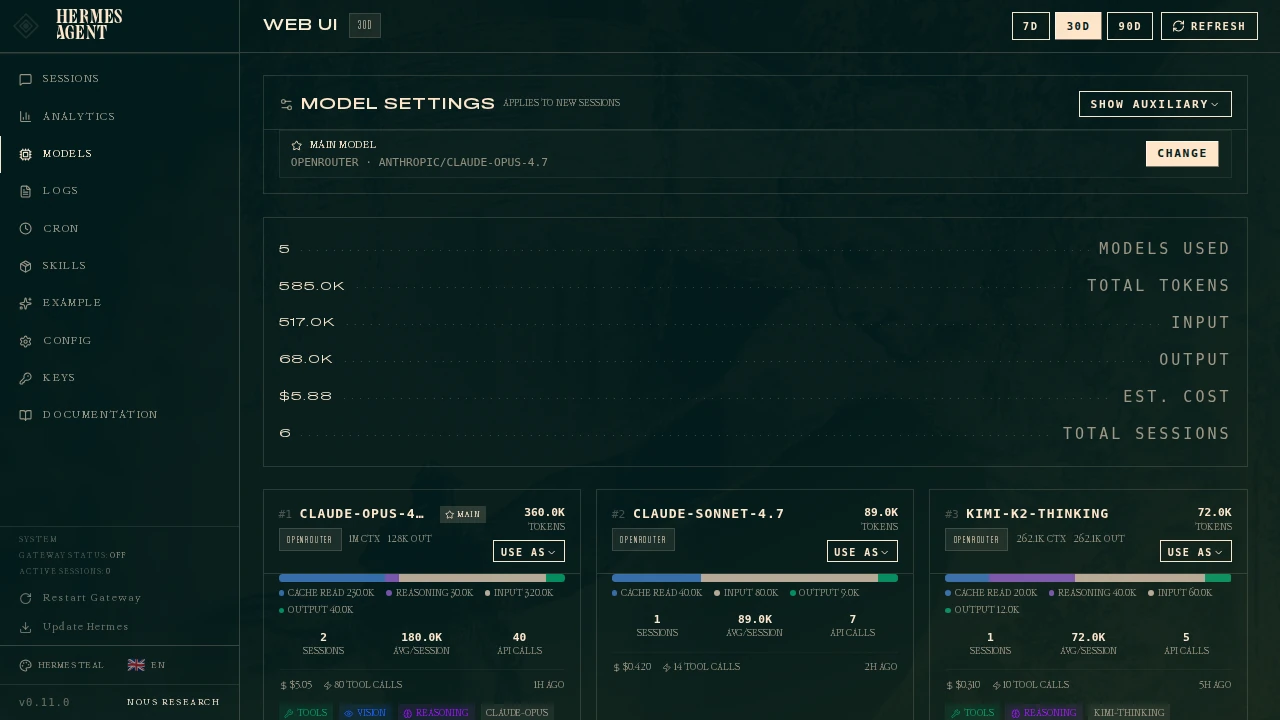
Run hermes cron list on the host to find the saved job. The dashboard shows its next run and delivery target. Test delivery before waiting a day: a saved schedule does not establish that the messaging destination is connected. CLI reference · Dashboard job inspection
Keep yesterday’s result available#
Scheduled agent runs start in fresh sessions. Hermes can optionally supply the previous output through its continuity setting. For a release watch, keep an explicit last-verified tag in an accessible workspace and ask the next run to compare against it. Check a second run with the same tag before trusting a quiet report. Run context and continuity
Keep the source URL and the last successful check alongside that tag. When a fetch fails, preserve the last verified record and report the gap. Otherwise, the next digest may confuse an inaccessible source with an unchanged one.
Which model will the scheduled job use?#
Hermes documents a precedence order: a per-job model pin, then the configured cron model, then the main agent model. Check the job’s actual selection when comparing runs or estimating cost. Changing your interactive model can affect jobs that ultimately follow that main-model setting. Scheduled model selection
Use a fixed configuration while testing a new workflow. Once it works, change one element at a time and repeat the same input. That preserves the evidence needed to decide whether a model change improved the result.
Where do commands run, and where do results go?#
Hermes supports several terminal backends, including local execution, containers and remote environments. A path that exists on your laptop may therefore be absent from the environment running the job. Check the configured backend and working directory before diagnosing a missing file as a memory problem. Execution configuration
Delivery is another setting. The dashboard offers local output and messaging destinations. Check the saved route and inspect the receiver after a trial run. A locally saved result can be correct for one job and insufficient for another that promised a message before a meeting. Delivery settings
For a missing brief, find the scheduled occurrence in the run history. If the output is there, check the saved destination and look for the message in that channel. Hermes scheduled tasks
How well does Hermes perform on your task?#
Measure the output you intend to use. For research, check sources and corrections. For a report, check totals and the interpretation attached to them. For a scheduled brief, check receipt before the deadline as well as accuracy. Record unsuccessful attempts and the time you spend intervening.
If you pay for inference, total the charges for every attempt, including the ones that failed to deliver.
If the job is an exact calculation or a fixed lookup, Hermes also documents a no-agent cron mode that runs a script and delivers its output while skipping the scheduled agent turn. That can be useful once you have a validated script and want predictable recurring output. Script-only scheduled work
Hermes Agent or OpenClaw?#
Both offer recurring work with configurable models and delivery. Compare the actual sources, execution environment and result destination required for your job.