
ChatGPT dots
Let a dot watch releases.
A dot has its own cloud computer and a place in ChatGPT to report back. Give it the sources you follow, set a schedule and open its activity to check the result.
Updated
A dot is an always-on agent in ChatGPT. You give it an ongoing responsibility, such as watching the releases of two libraries your team uses. It has its own cloud computer and a conversation where you can inspect its work and change the assignment.
Create a watch that has a clear first result#
- On an eligible account, create your dot in ChatGPT on desktop web, the desktop app, or the iOS or Android app. Give it a name you’ll recognize in your activity list. On a phone, use the app for setup.
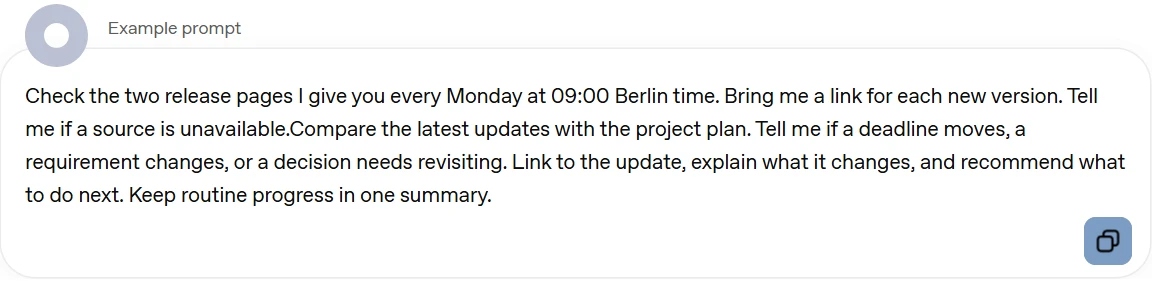
- Paste the two official release URLs. First ask for the current versions, their dates, and a source link for each. This gives you a baseline you can check, and the public pages need no access to your inbox or personal files.
- Ask the dot to check every Monday at 09:00 in your time zone. Specify that a new version deserves a short note, and an inaccessible source should be flagged separately from an unchanged one.
- Open the dot’s profile and inspect Scheduled or Recent activity. Open the task to check its timing and notifications. After the next run, follow its links and compare its answer with your baseline.
Try OpenAI’s editable walkthrough
Cloud work and local files#
A public release watch can run on the dot’s cloud computer. Access to your own computer starts off. If you later need it to work in a local folder, enable local access from the ChatGPT desktop app on that machine. Connected apps can also contribute context and memories. You can inspect the activity, change a schedule, or pause the dot from its profile.
Check availability before planning around it#
OpenAI documents consumer access for adult Pro and selected Plus users in supported markets. The published consumer rollout excludes the EEA, UK, and Switzerland. Business and institutional workspaces have separate account and administrator requirements. Check the current eligibility and setup guide if the entry is missing.
Related#
 What are AI bots, and what can you actually leave them to do? · ContenoxChoose between hosted, desktop and self-hosted AI bots. Try a two-run release digest to check memory, scheduling, permissions and delivery.
 AI bots vs. coding harnesses: which runs the job? · ContenoxCompare a persistent AI bot with a coding harness using the same release feed. See who keeps time, what state survives, how permissions work and what proves the task is done.