Local AI vs cloud AI is a choice about where your coding model runs, what it can handle, and who controls access to it. Run locally when keeping inference on your hardware or working offline matters. Use a hosted model when it completes your tasks better and sending it the relevant code is acceptable. You can keep both in the same workflow.
Take a small task: “Fix the date parser so it rejects February 30, and add a regression test.” Give a local model and a hosted model separate copies of the same starting code. Count how long each takes to produce a correct, reviewable change, including your corrections. That result tells you more about the choice than a screenshot of tokens per second.
What actually stays on my computer?
There are three places to check: the app running the agent, the model answering it, and the tools it calls.
| Part | Local model | Hosted model |
|---|---|---|
| Project files | Can stay in your working folder | Can also stay in your working folder; the agent sends selected content to the model |
| Inference | Runs on your computer or a server you operate | Runs at the provider you connect |
| Tools | May read files, run commands or contact outside services | May do the same; permissions still matter |
| History | Storage depends on the app | Storage depends on both the app and the provider |
A desktop app connected to a cloud model still sends prompts and the code included in them off the machine. A local model can still call a tool that uploads a file. Check the whole route before treating a task as private.
Ollama distinguishes local inference from its cloud models in its local FAQ. A connection to localhost:11434 alone does not establish where inference happens: that local server can also connect to a hosted model.
The local-address trap: a local endpoint tells you where your app connects first. Check the selected model and its destination too.
Can I code with AI without an internet connection?
Yes, if the model, agent and tools needed for the task are already available locally. Download the model and dependencies before disconnecting, then try a real task offline.
The test should include reading files, making an edit and running the project’s tests. Web search, remote MCP servers, package downloads and cloud fallbacks need their own connections. A model answering a greeting offline proves less than a complete edit-and-test cycle.
For a project that must stay offline, choose an installed local model explicitly, disable cloud fallback routes, and keep the tool permissions appropriate for that project. Agent permissions explains the controls around file access and commands.
Is local AI good enough for coding?
Judge it on the work you intend to give it. A model may explain a function well and still struggle to edit several files, interpret a failed test and recover.
Start with three tasks you already understand:
- Explain a function and identify an edge case.
- Fix one known bug and add a test that catches it.
- Change behavior across two or three files, then run the relevant tests.
Keep the starting files, instructions and available tools the same. Record correct results, unwanted edits, retries, waiting time and review time. If the local model handles the first two reliably, those are useful jobs to give it even if the third needs a stronger model.
A successful tool call is only the first step. An agent must read the result, decide what to do next and know when to stop. Choosing a coding model goes deeper into that test.
Should I buy a GPU or keep using a cloud plan?
Try the hardware you already own first. A new GPU is justified by a workload you have measured, or by a requirement that hosted inference cannot meet.
For the local option, count hardware, electricity, setup, maintenance and the time spent waiting or fixing poor results. For the hosted option, count the subscription or API use, limits that interrupt work, and the same review time. Compare the cost of getting the task finished.
A model that uses no paid API can still be expensive to work with if you spend the afternoon correcting it. Conversely, a model you already own the hardware to run can be useful for repeated, bounded tasks. There is no universal number of prompts at which buying a GPU becomes worthwhile.
Before buying, check whether the model and the working context fit. The download size is only part of the memory budget. See local LLM hardware and context.
Does local AI have to run on my laptop?
You can choose where to put the compute:
| Where the model runs | What that gives you | What you take on |
|---|---|---|
| Your laptop or desktop | Inference on the machine you work on; offline use | Sharing memory, power and cooling with your other applications |
| A workstation on your network | A dedicated machine that can keep the model loaded | Maintaining that machine and its access controls |
| A shared team server | Several people can use the same hardware | Scheduling, capacity and separating access between users |
| A rented GPU server | A way to try larger hardware without buying it | Server administration, rental time and sending data off your premises |
| A hosted model provider | Access to models without operating their hardware | The provider’s availability, terms and usage limits |
This is the useful argument from Shouldn’t AI Move From Cloud to Local Compute?: keep control over where the work runs as your needs change. A rented machine is still remote, even when you administer the model yourself.
How do I try local models with my coding agent?
With Ollama and your chosen agent installed, these are the documented entry points. Pick a local model in the launcher; its cloud choices serve a different purpose.
| Agent | Start with Ollama | What to check |
|---|---|---|
| Claude Code | ollama launch claude |
The selected model supports tool calls; this uses Ollama’s Anthropic-compatible integration |
| Codex CLI | ollama launch codex |
Use /model to inspect or switch the installed models offered by the Ollama profile |
| OpenCode | ollama launch opencode |
Use /models to inspect the active session’s model |
The setup comes from the official Claude Code, Codex and OpenCode integration guides. Ollama recommends at least 64k context for these coding integrations; check that the chosen model and your available memory can serve it. Local-model setup covers the configuration.
Keep your hosted provider configured as well if you use it. Choose the route for the task, then compare the resulting diff and tests. When moving a conversation to a cloud model, assume the history included in the next request goes with it; start a separate session when the earlier material must remain local.
Contenox
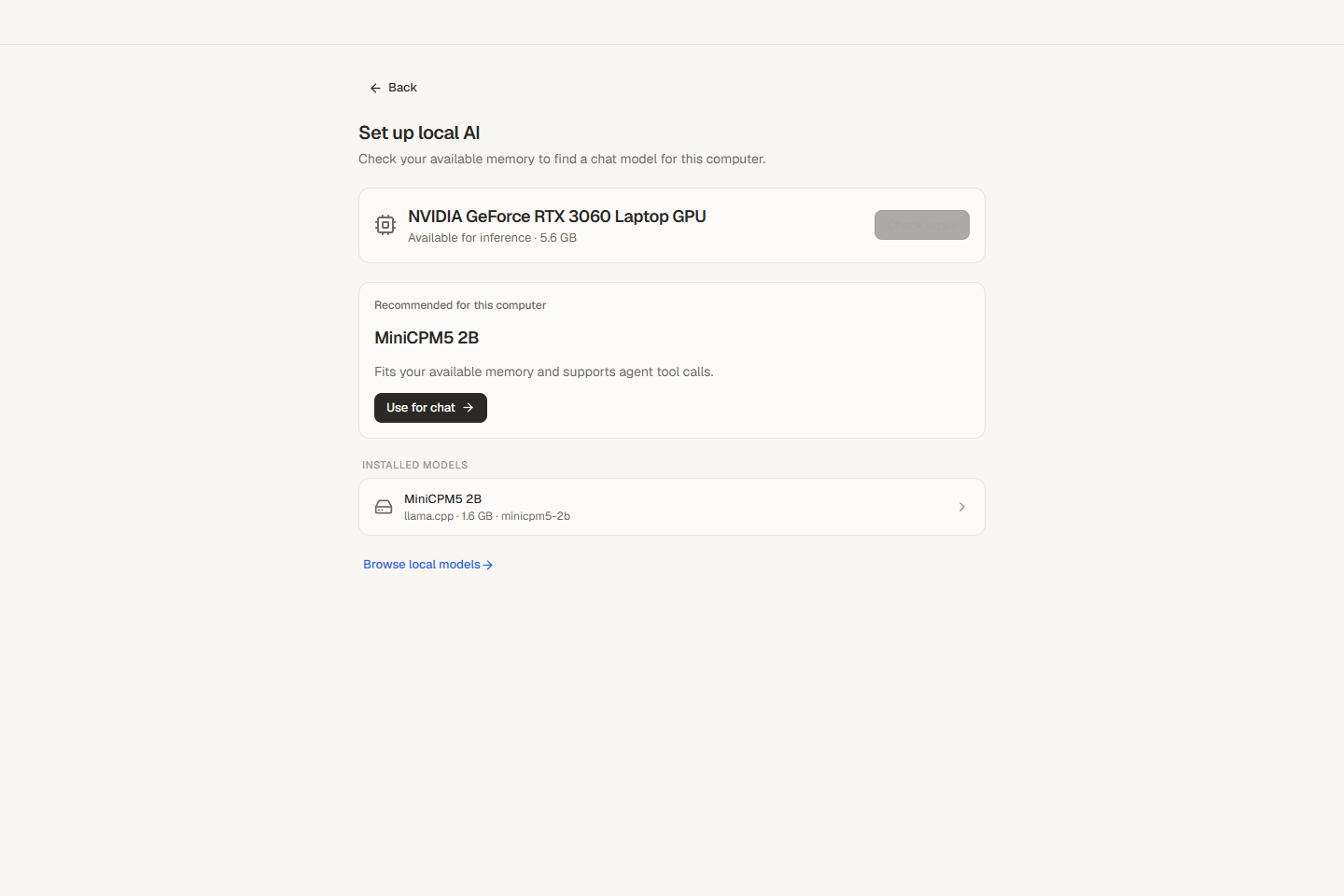
Contenox lets you use the hardware you already own or the providers you choose. Windows x64 builds from 1.0.22 include native Local AI: detect your hardware, choose a recommended model, download it and use it in the app. You can also connect Ollama, a ChatGPT plan or an API provider and choose the model per session. File and command permissions remain under your control. Set up local AI, or get Contenox for Windows.
Related guides
- How to choose a model for coding: judge tool use and the finished change
- How to run local LLMs for coding: hardware, context and setup
- Why is my local LLM slow?: separate loading, prompt processing and generation
- AI coding costs: count the cost of finished work
- Keep secrets away from AI agents: control what the agent can read and send