An AI agent platform architecture for teams has to handle four things a single-user agent doesn’t: files some members can see and others can’t, a conversation several people can watch and steer, an approval that doesn’t wait for one particular person, and a bill that lands on whoever asked. The architecture that worked for us puts all four inside the agent engine, not in the web app around it, so every path into the system obeys the same rules.
This is a reference deployment we built on the Contenox engine for a team that owns its code and its servers. Below: the shape, what each piece does, the screenshots, and the seven bugs that taught us where the rules have to live.
The shape
 browser app  --(Agent Client Protocol over a WebSocket)-->  relay
                                                              |
                     accounts, memberships, pairing,          |
                     entitlement, metering                    |
                                                              v
                                              one engine per member, in process
                                              conversation, tools, approvals,
                                              files, providers
                                                              |
                                                              v
models the operator declared- The browser app is a client. It renders the conversation, the files and the approval cards, and decides nothing.
- The relay owns what has to be shared across machines: accounts, who belongs to which account, device pairing, entitlement and metering.
- The engine runs once per member, in the relay’s process. It holds the conversation, runs the tools, asks for approval and calls the models.
- The agent is a declaration the operator publishes (instructions, tools, models), not code the relay carries. Changing the agent doesn’t mean redeploying the relay.
The rule we held to: host only what must be shared. Everything else stays the engine’s job, exactly as on a single machine.
Shared files with an access list
An account’s files are one tenant in the engine’s virtual file system. Every active member can view and edit them by default. A member who manages a file or folder can restrict it to named members or groups. A restricted folder is a boundary: inside it, only grants on that folder and below count, so a broad grant higher up doesn’t leak in. Owners and admins manage the whole tree.
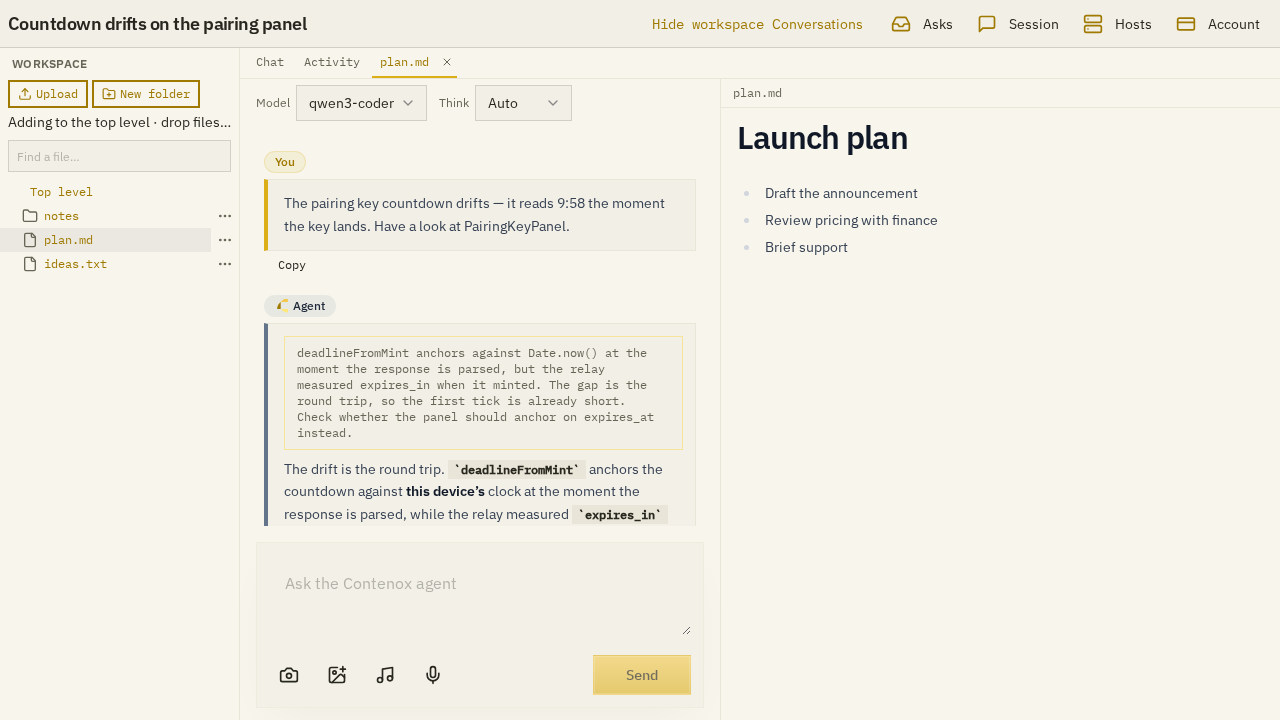
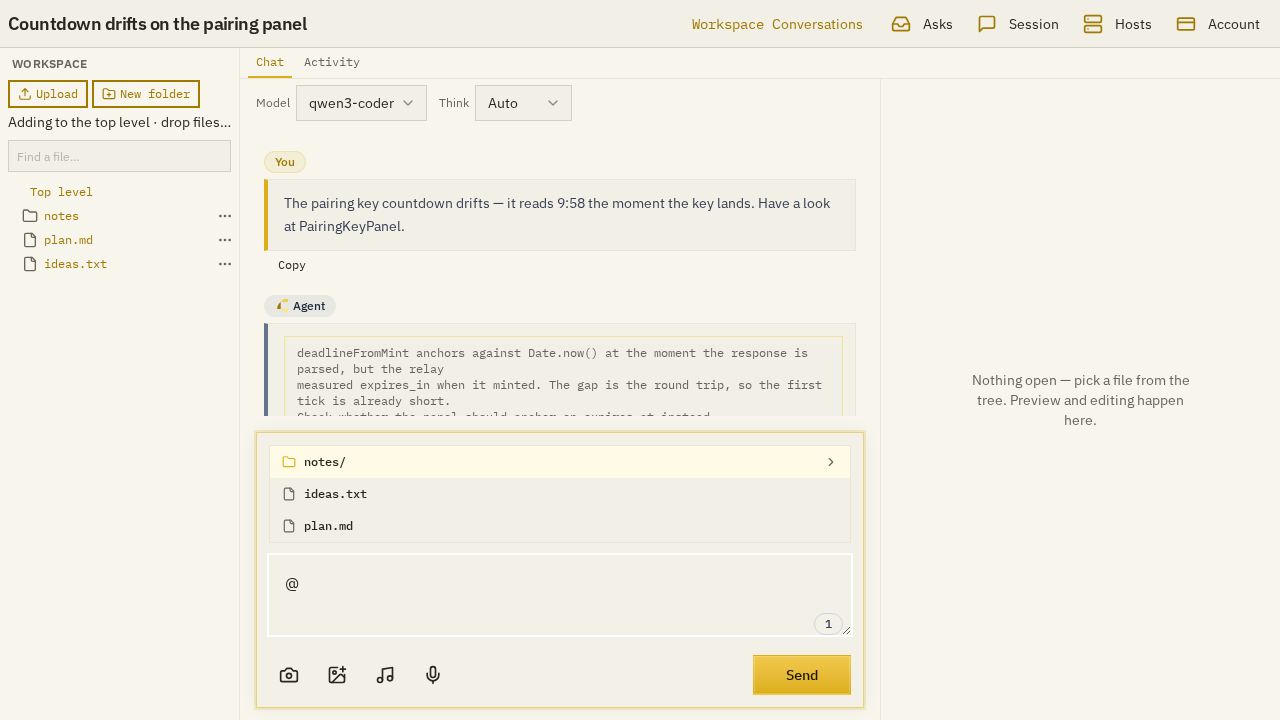
Three paths reach those files: the browser’s file routes, the protocol’s file extension, and the agent’s own file tools. All three go through the same access list, and all three act as the member. The agent working for Ada sees what Ada sees, and what it writes belongs to Ada. The member is looked up on every call, not at login, so removing someone from a group takes effect on their next click.
Typing @ in the message box offers the same tree, filtered by the same rules:
Conversations several people share
A conversation belongs to whoever started it, until they (or an owner or admin) share it with the whole account or one group. A shared conversation is live: everyone sees the others’ messages and the agent’s output as it streams, and every message names its author.
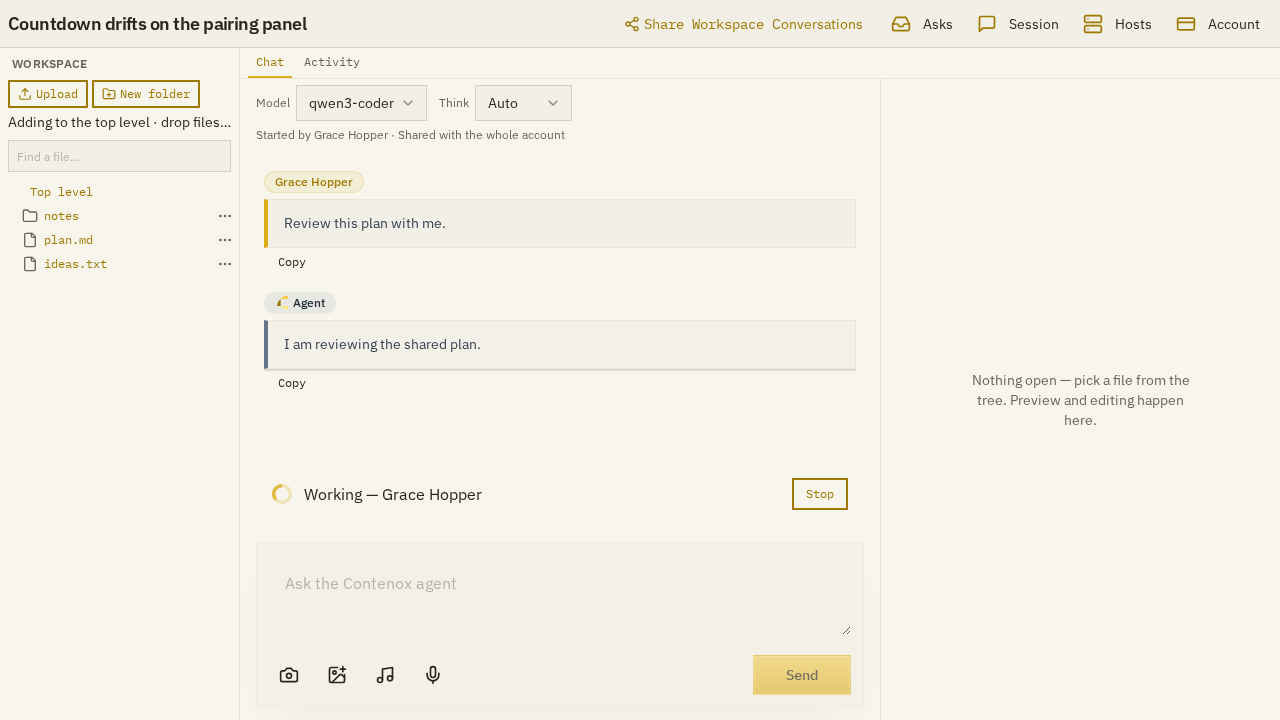
Four rules make that work without confusion:
- One turn at a time. While one participant’s turn runs, another’s send is refused with the name of whoever holds it (“Working — Grace Hopper”), and their draft stays in the message box.
- The sender pays. Each turn runs as, and is billed to, the member who sent it.
- Settings stay personal. Model and reasoning choices belong to each participant, even in a shared conversation.
- First answer wins. Any participant can answer an approval. The first answer counts, and the card disappears for everyone else.
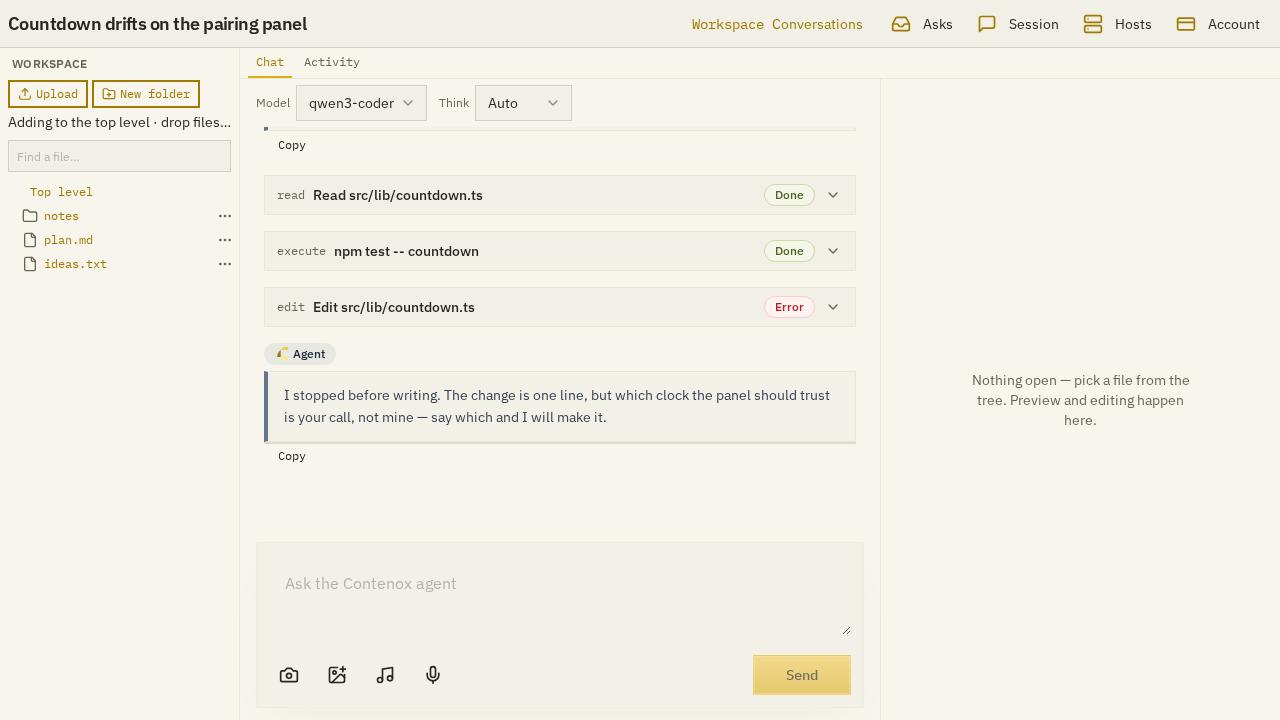
Tool calls stay in the transcript with their results, including the failed ones, so a teammate who joins late can see what the agent did and why it stopped:
Seven bugs that showed where the rules belong
Each of these was real, and each fix moved a rule closer to the engine.
- Two copies of the file rules. Before the shared access list, the web routes and the agent’s tools each checked access their own way, and they drifted apart. The fix was one access list, with every path going through it.
- One person’s settings moved everyone’s controls. Changing the model in a shared conversation changed the dropdown on every participant’s screen. Configuration updates now go only to the participant who made them.
- A connection that couldn’t ask answered “cancelled”. A plain-HTTP client had no way to show an approval, so it answered every approval request “cancelled”, sometimes faster than the person in the browser could click “allow”. Connections can now say they have no approval surface, and approval requests skip them.
- Access that outlived the connection. Visibility was checked once, when a participant connected. Unsharing a conversation didn’t stop someone already watching it. Now visibility is checked again on every live update, message, cancel and approval answer.
- Stale reads under SQLite. A handler that read and then wrote could be left on an old snapshot while another request wrote in between. The handlers now take the write lock first.
- A stale approval card. When another participant answered an approval, the card stayed on the requester’s screen. A finished turn now clears it for everyone.
- A setup step that broke another role. Adding a completion check for one model’s role quietly marked the same model unverified for chat, because one fingerprint covered both. The fingerprint now covers only the roles that use the check.
The pattern: every bug was a rule that lived somewhere other than the engine, or was checked at the wrong time. A platform for teams is mostly about deciding who may do what, and checking it at every step, not once.
Before the team version: one person in a browser
The team deployment grew out of a single-user browser app we shipped earlier, called Beam. It ran from the same binary on 127.0.0.1, with no hosting at all, and put the review loop on screen: the files the agent’s rules allowed it to touch, every tool call as its own card, and an inline diff to approve or reject before any write ran.
A chat with an agent in a project folder: the agent reads the files, a gated write stops at the permission card, one click allows it.
Its backend manager set up providers, declared models with what they can do (chat, vision, reasoning and more), and grouped backends into pools, all from the browser:
Going from one person to a team didn’t change the agent at all. It added the relay, and moved every “who may” question into the engine.
If you build your own
- Pick one place for access rules, and make the web routes, the API and the agent’s tools all call it. If the agent has its own file tool with its own checks, they will drift.
- Run the agent as the member, not as a service account. Then “what can the agent see” has the same answer as “what can this person see”.
- Check access at every step, not at connect. Shares, memberships and roles change while people are connected.
- Decide who pays per turn, before the first shared conversation. “The sender pays” is simple, and members understand it.
- Treat approval as a capability of the connection. Not every client can show a dialog; one that can’t must not answer for someone who can.
- Keep the agent a declaration. Instructions, tools and models in a file the operator publishes are easier to review and roll back than an agent baked into the service.
What this doesn’t solve
- It needs an operator. Someone runs the relay, declares the providers and models, publishes the agent, and manages accounts. It’s a deployment, not a sign-up page.
- It’s not the Contenox desktop app. The app is one person on their own machine. The team deployment is the same engine run as a shared service, built for one team.
- The model still sees what you share. Access rules decide which files the agent may read; once it reads them, they go to whichever model provider the operator chose.
Contenox
The Contenox desktop app uses the same engine and the same kind of rules for one person: you open a project folder, the agent works there, and what it may do without asking is a set of rules you can read under Permissions. See AI agent permissions for the rule set, and what is an AI coding harness? for where the engine sits between you and the model.
Related guides
- What is ACP?: the protocol between the browser app and the relay
- AI agent permissions: allow, ask and block, for one person or many
- What is an AI coding harness?: the layer this architecture puts the rules in
- GenAI app builders: the hosted alternatives from Google, AWS, Microsoft and OpenAI